 Bobbin
The short version
- Choose Bobbin if you want free, unlimited recordings saved as files, without an account or editing.
- Choose Tella if you publish polished videos (product launches, courses, YouTube) and want layouts, transcript editing and AI clean-up. That editing is what you pay for.
Is Tella free?
No. Tella's help centre says every new workspace starts a 7-day free trial of Pro (no card needed) and that there is no forever-free plan. When the trial ends, your videos stay viewable and shareable, but recording, editing and exporting are locked until you subscribe. The trial starts when you create the account, not when you first record.
On the pricing page we checked, Pro was $13 per user/month billed annually and Premium $19 per user/month billed annually (higher if billed monthly). Paid plans include up to 4K recording, clips up to 6 hours, transcription and a full editor.
Competitor facts checked on 22 October 2026 from their own pages: Tella help: How the 7-day free trial works · Tella help: Plans · tella.com/pricing. Plans change often; check the linked page before you decide.
Tella vs Bobbin
| Bobbin Free | Tella (paid; 7-day trial) | |
|---|---|---|
| Price | $0 (Pro optional: $4.99/month or $24 once) | From $13 per user/month, billed annually |
| Account | Not needed | Required |
| Recording length | No time limit | Up to 6 hours per clip |
| Quality | Up to 1080p30 (Pro: up to 4K/60fps where your screen and computer support it) | Up to 4K |
| Editing | None: you get the raw recording | Timeline and transcript editing, layouts, silence and filler-word removal |
| Sharing | You share the file | Hosted share links and embeds; MP4 export |
| Where recordings live | On your computer only | Tella's cloud |
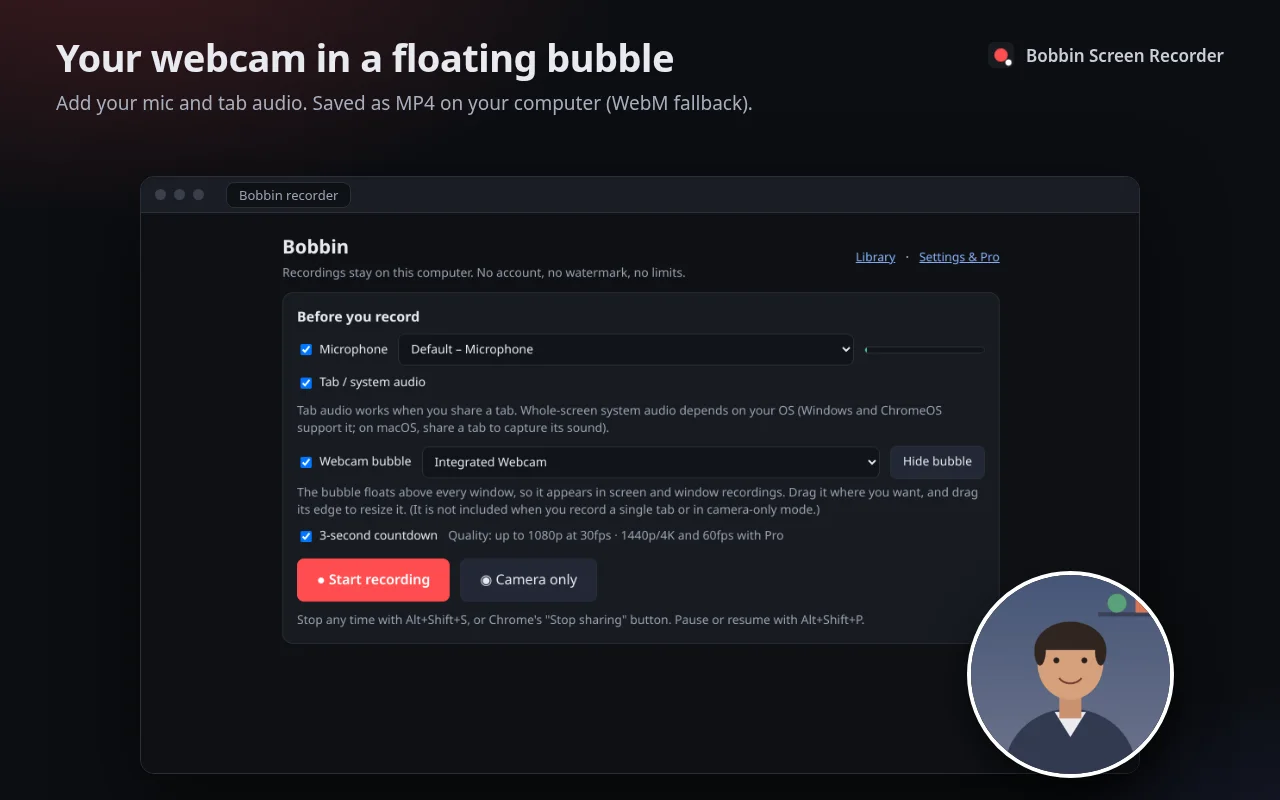
| Webcam | Floating bubble in screen/window recordings, or camera only | Webcam recording with layouts |
| Teleprompter | No | Yes |
When Tella is worth paying for
- You publish videos where presentation matters: backgrounds, layouts, zooms, captions.
- You want to fix mistakes by editing the transcript instead of re-recording.
- You record in clips and stitch them into one video.
- You want a teleprompter and hosted pages with analytics.
When Bobbin is enough
- Quick explainers, feedback, bug reports and team updates where the raw take is fine.
- You want to own the file and keep it off third-party servers.
- You record occasionally and don't want another subscription.
- You'll edit elsewhere anyway (iMovie, Clipchamp, DaVinci Resolve, Shotcut). Bobbin's MP4 drops straight into them.
Getting a "Tella-like" result without Tella
- Record in short takes. Use Pause (Alt+Shift+P) between sections, or Discard a bad take and start again.
- Clean the stage. One browser window, bookmarks bar hidden, notifications off, zoom the page to 110–125% so text is readable.
- Frame your face. Drag the webcam bubble to a corner that doesn't cover the content.
- Cut in a free editor. Trim the start and end in any editor you already have. Our tutorial video guide walks through the whole process.