 Bobbin
The six-point checklist
- Sign-up. Does it make you create an account (or "Sign in with Google") before your first recording?
- Watermark. Is there a logo on the video, or a "made with" badge on the share page?
- Time limit. Does the free plan stop recording at 5, 10 or 30 minutes?
- Video limit. Is there a cap on how many videos you can keep or make each month?
- Upload. Does your recording go to the vendor's cloud? Can you download the file on the free plan?
- Quality cap. Is free limited to 720p or lower?
How popular tools' free tiers compare
| Account | Time limit | Video limit | Download the file | |
|---|---|---|---|---|
| Bobbin Free | No | None | None | Yes (saved locally) |
| Loom Starter | Yes | 5 min | 25 per person | No |
| Vidyard Free | Yes | 30 min | 5 recordings/month | No |
| Tella | Yes | — | — | No free plan (7-day trial) |
| Screenity | No | None | None | Yes (saved locally) |
Competitor facts checked on 22 October 2026 from their own pages: loom.com/pricing · Loom help: Download your Loom video · Vidyard help: Video usage and length limits in Vidyard Free · Vidyard help: How to download a video · Tella help: How the 7-day free trial works · screenity.io/extension. Plans change often; check the linked page before you decide.
Screenity is a genuinely good free option too. It's open source and has drawing and blur tools that Bobbin doesn't have yet. Bobbin's focus is a simple recorder with crash-safe saving and MP4 output.
How Bobbin answers each point
- No sign-up. There's no account system at all. Install it and record.
- No watermark. Nothing is drawn on your video, free or Pro.
- No time limit. Record as long as you need; the practical limit is your free disk space.
- No video limit. There's no counter anywhere.
- No upload. Recordings are saved on your computer while you record and never leave it unless you send them.
- 1080p at 30fps free. Pro adds 1440p, 4K and 60fps where your screen and computer support it.
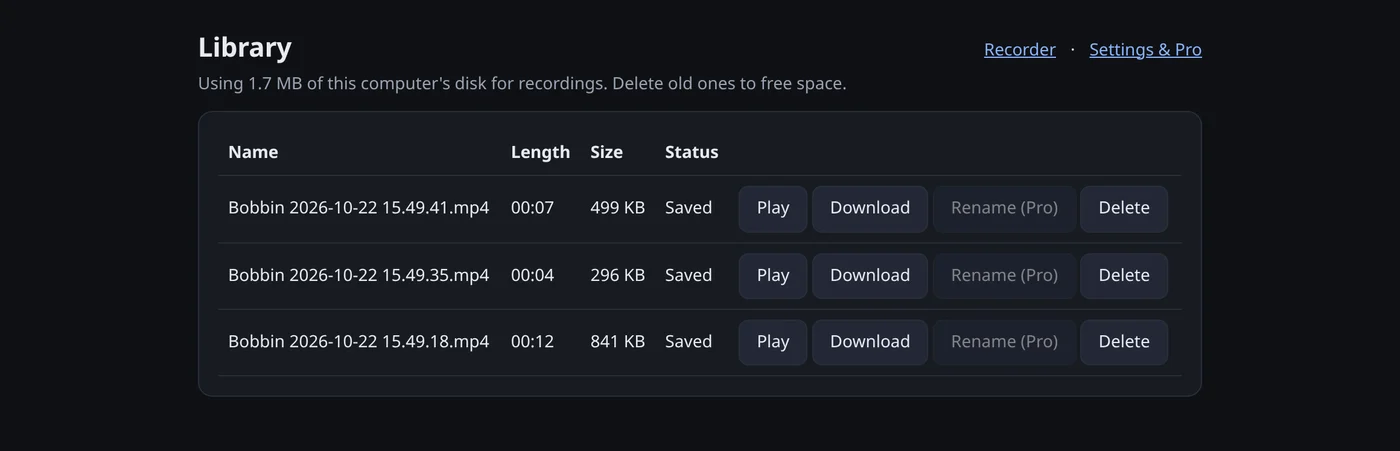
Don't take our word for it: verify any extension in 2 minutes
- Read its permissions. Open
chrome://extensions, click Details on the extension and look at "Site access" and permissions. A recorder that can "read and change all your data on all websites" can see far more than it needs. Bobbin asks only for storage, unlimitedStorage and alarms, and has no access to the sites you visit. - Check where the file goes. After a test recording, is there a Download button that gives you a real file, or only a link?
- Record 6 minutes. It's the quickest way to find a hidden 5-minute cap.
- Look at the first and last frame. Watermarks are usually in a corner.
- Read the privacy policy. Look for analytics, trackers and "we may use your content". Ours is here.
The trade-offs of a no-account recorder
No account and no upload means there's nothing to sync: no share links, no comments, no "who watched" stats, and no access to your recordings from another computer. If you uninstall Bobbin or clear its data, recordings you haven't downloaded are deleted, so download anything you want to keep. For most people recording tutorials, bug reports and walkthroughs, that's a fair trade for privacy and no limits.