 Bobbin
Pick Loom if…
- you want a share link the moment you stop
- viewers comment, react or need captions
- you want to see who watched
- you record on your phone
- your team shares one video library
Pick Bobbin if…
- you record longer than 5 minutes
- you need the MP4 file
- recordings shouldn't leave your computer
- you don't want an account
- you'd rather pay $24 once than per user per month
Feature by feature
| Bobbin | Loom | |
|---|---|---|
| What it is | Chrome extension that records to a file on your computer | Async video messaging platform |
| Account | None | Required |
| Free recording length | No limit | 5 minutes (Starter) |
| Free video count | No limit | 25 per person (Starter) |
| Free max quality | 1080p, 30fps | 720p (Starter) |
| Paid max quality | Up to 4K, 60fps where your screen and computer support it | Up to 4K (Business) |
| Download the file | Always (it's already a file) | Paid plans only |
| Share links, comments, reactions | No | Yes |
| Transcripts, captions, AI summaries | No | Yes (AI features on Business + AI) |
| Editing | No | Trim and stitch on Business |
| Drawing and blur while recording | Not yet (drawing is planned for a later Pro update) | Business |
| Viewer analytics | No (the extension tracks nothing) | Yes |
| Webcam bubble | Yes, floating; in screen and window recordings | Yes |
| Camera-only recording | Yes | Yes |
| Pause and resume | Yes | Yes |
| Crash recovery | Yes: written to disk every second, recovered next time | Not listed on the pricing page |
| Platforms | Chrome, Edge, Brave on Windows, Mac, Linux, ChromeOS | Chrome extension, Mac and Windows apps, iOS and Android |
| Price | Free; Pro $4.99/month or $24 once | Free Starter; Business $18 per user/month; Business + AI $24 |
Competitor facts checked on 22 October 2026 from their own pages: loom.com/pricing · Loom help: How long can I record? · Loom help: Download your Loom video. Plans change often; check the linked page before you decide.
Privacy: the biggest practical difference
With Loom, every recording is uploaded to Loom's servers (Loom is owned by Atlassian). That's what makes instant links, comments and AI features possible, and Loom offers privacy controls for who can view.
Bobbin takes the opposite approach: there is no Bobbin server for video. Recordings are written to your computer while you record. The extension has no account, no analytics and no trackers, and it only asks Chrome for storage, unlimitedStorage and alarms permissions, so it can't read the websites you visit. The one network call it ever makes is checking a Pro license key, and only if you enter one.
That matters for client work, internal dashboards, health or finance data, or any company where uploading screen recordings to a new vendor needs approval.
What changes day to day
Sharing
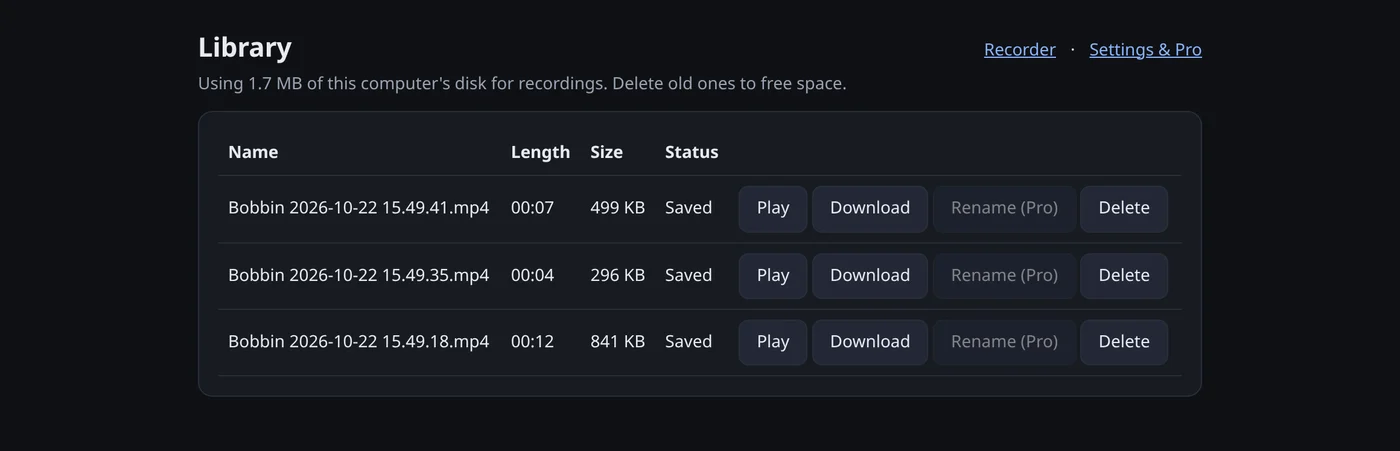
Loom: stop, copy link, paste. Bobbin: stop, Download, then drop the file into Slack, Teams or email, or share it from Google Drive. It's one extra step, and in exchange you choose where the video lives and who can see it.
Long recordings
On Loom's free plan, the countdown ends your recording at 5:00. Bobbin keeps going until you stop. Every second is saved to disk as you record, so a browser crash doesn't lose the take; Bobbin recovers it the next time you open the recorder.
Quality
Loom Starter tops out at 720p. Bobbin Free records up to 1080p at 30fps, which keeps small text in code editors and spreadsheets readable. Pro adds 1440p and 4K at 60fps, where your display and computer can handle it.
File format
Bobbin saves MP4 where your browser can record it (Chrome 126 or newer) and WebM otherwise, and tells you which codec it used after each recording. Files from Windows, macOS and ChromeOS are the most widely compatible.
What it costs over a year
For one person: Loom Business is listed at $18 per user per month. Bobbin Pro is $4.99 a month or $24 once, and Bobbin Free already has no time or video limits. For a team of ten that each need unlimited recording, Loom is priced per user; Bobbin Pro is bought per person too, but most people never need it.
The honest caveat: if your team relies on Loom's links, comments and analytics, the price buys real features Bobbin doesn't have.